Essential Tools for Aspiring Mangakas (2026)
March 15, 2026 · 11 min read · By Mangaka.online Editorial
Building Your Mangaka Workspace
Every aspiring mangaka faces a crucial decision: should you work traditionally or digitally? The answer isn’t simple—and increasingly, professional mangakas use both methods. The good news is that quality tools at reasonable prices exist for every budget and preference.
This guide catalogs essential tools and equipment organized by budget tier, work style, and experience level. Whether you’re a complete beginner or an experienced artist transitioning to digital work, you’ll find practical recommendations and guidance on where to invest your resources.
Traditional Tools: The Beginner’s Foundation
Even if you eventually work digitally, understanding and practicing traditional inking builds fundamental skills. Many professional mangakas spend months or years drawing traditionally before transitioning to digital, and the training is invaluable.
Manga Paper: The Foundation
Deleter Manga Paper (B4 size): The professional standard. Japanese manga serialization uses B4 paper almost exclusively. Deleter paper is manufactured specifically for manga with:
- Slightly rough surface texture that grips ink perfectly
- Pre-printed panel borders (saving hours of ruler work)
- Sizing optimized for G-nib feedback
- Consistent tooth across batches (important for professionals)
Where to buy: Deleter paper is available through online retailers specializing in manga supplies. Expect to pay $3-5 per sheet for individual pages.
Budget alternative: Bristol board (smooth illustration board, 9”x12” or A4) works adequately for practice, though it lacks the specialized texture of manga paper. Cost: $0.50-1.00 per sheet.
Pad option: Pre-pad manga paper (multiple sheets bound together) costs slightly less per sheet but takes up less storage.
Type options: Deleter Type A is standard medium texture. Type B is slightly rougher. Start with Type A unless you prefer more textured feedback.
Inking Pens: G-Nib and Beyond
Tachikawa G-Nib Pen: The industry standard. Professional mangakas overwhelmingly use Tachikawa nibs. The G-nib produces the characteristic thick-and-thin lines of manga.
Features:
- Flexible metal nib that spreads under pressure
- Produces variable line width through pressure and angle
- Requires practice but offers unmatched expressiveness
- Cost: $2-3 per nib (nibs wear out and need replacement)
How to use: Tachikawa nibs require a pen holder (sold separately, $1-2) and are inserted into the holder. The nib flex is sensitive—proper technique is essential.
Nikko G-Nib: Alternative to Tachikawa with slightly different flex characteristics. Some artists prefer Nikko’s feedback. Cost and usage similar to Tachikawa.
Maru Nib (Circle Nib): Produces uniform line width. Essential for fine details, borders, and backgrounds. Cost: $2-3 per nib. Most mangakas use both G-nib and Maru nib.
Brush pens: Felt-tip tools that mimic brushes without requiring ink and brush maintenance. Brands like Pentel Fude Touch Sign Pen work for manga. More forgiving than G-nibs but less expressive. Cost: $3-5 per pen.
Ink bottles vs. cartridges: Professional manga uses waterproof India ink in bottles rather than cartridges. Quality matters significantly—waterproof black India ink (Kuretake or Deleter brands) is non-negotiable for professional work.
Budget starter pack: A Tachikawa G-nib, Maru nib, pen holder, bottle of waterproof India ink, and quality paper cost approximately $15-20 for initial supplies. The paper is the biggest expense.
Additional Traditional Supplies
Metal ruler: Essential for straight lines and perspective work. 12-18 inch length recommended. Quality matters—cheap rulers bend easily. Cost: $5-15.
Correction fluid (white-out): For minor ink corrections. Japanese Liquid Paper works well. Cost: $3-5.
Kneaded eraser: For removing pencil marks without damaging paper. Essential for professional work. Cost: $1-3.
Scratch tool or craft knife: For removing dried ink errors. Use carefully to avoid paper damage. Cost: $5-15.
Light box: For transferring pencil sketches to final paper. A proper light box costs $30-60. Budget alternatives: iPad placed under paper with brightness maximized works if your iPad has good brightness. Cost: $0-600 depending on quality.
Pencils and erasers: HB or 2H mechanical pencils for sketching ($1-3 each). Use light pressure to minimize eraser damage.
Sharpener: Keep pencils sharp. A quality sharpener improves pencil control. Cost: $3-8.
Digital Tools: The Modern Standard
Most contemporary professional mangakas work digitally, at least for portions of their workflow. Digital tools offer speed, flexibility, and non-destructive editing that traditional media can’t match.
Drawing Tablets: By Budget Tier
Entry-level (under $100)
Wacom Intuos (Small): The best entry-level pen tablet. Dimensions are modest but sufficient for learning. No screen—you draw on the tablet while looking at your monitor.
- Pressure levels: 4096
- Large enough workspace for manga pages
- Compatible with all major software
- Cost: $80-100
XP-Pen Deco 01: Similar specs to Wacom Intuos at slightly lower cost.
- Cost: $60-80
These tablets require significant adjustment because of the hand-eye disconnect (hand moving on tablet, eyes on screen). If you’re comfortable with this, they’re excellent for learning. Practice with tracing to build tablet fluency.
Mid-range ($100-300)
Wacom Intuos Pro (Medium): Professional-grade pen tablet with higher pressure sensitivity and larger workspace.
- Pressure levels: 8192
- Customizable buttons for workflow efficiency
- More durable construction
- Cost: $180-250
XP-Pen Artist 12 Pro: Screen tablet (pen display) at mid-range price.
- 12-inch display (small but usable)
- Direct drawing surface (no hand-eye disconnect)
- Pen pressure: 8192 levels
- Excellent value for the feature set
- Cost: $200-250
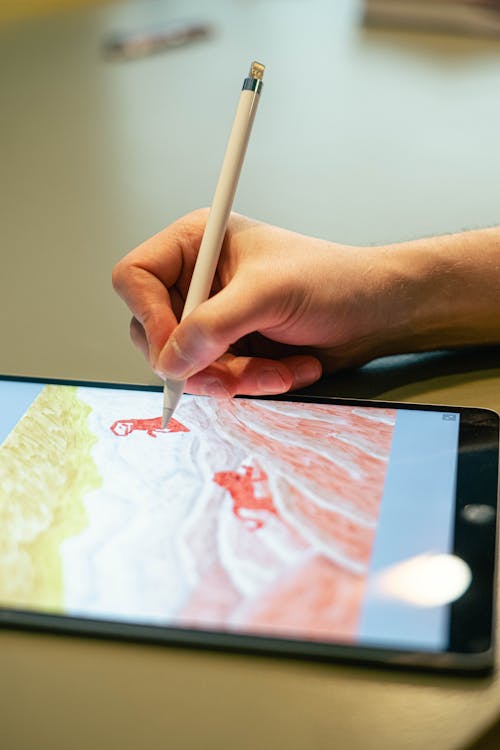
Budget iPad + Stylus: iPad (any recent model) + Apple Pencil works with Procreate or Clip Studio Paint for iPad.
- Full-featured digital painting experience
- High pressure sensitivity and responsiveness
- Cost: $400-900 (iPad varies, Pencil adds $100)
Professional tier ($400+)
Wacom Cintiq 16: 15.6-inch screen tablet used by many professional mangakas.
- Professional-grade display with excellent color accuracy
- Large, usable workspace for full pages
- Pressure levels: 8192
- Cost: $650-800
Wacom Cintiq 22: Larger version for extended workspace. Cost: $1500-2000.
XP-Pen Artist 15.6 Pro: 15.6-inch screen tablet, professional-grade, lower cost than Cintiq.
- Similar specs to Wacom Cintiq at lower cost
- Cost: $400-500
iPad Pro + Apple Pencil: Premium iPad setup with Procreate or Clip Studio Paint.
- Excellent for full-featured digital work
- High pressure sensitivity and responsiveness
- Cost: $1000-2000 depending on iPad model
Recommendation by Use Case
Complete beginner, budget under $150: Wacom Intuos Small ($80-100). Practice with simple projects to build tablet fluency. If you find pen tablets frustrating, upgrade to a screen tablet later.
Beginner, budget $200-400: XP-Pen Artist 12 Pro ($200-250). Screen tablet eliminates hand-eye disconnect, making learning significantly easier. Excellent value.
Serious student, budget $500+: iPad Pro + Apple Pencil ($1000+) or Wacom Cintiq 16 ($650-800). Both offer professional-grade capability and large workspaces.
Professional or full-time creator: Wacom Cintiq 22 or iPad Pro Max. The extra size pays dividends when creating full 40+ page chapters.
Essential Software for Digital Manga
Clip Studio Paint: Industry Standard
Clip Studio Paint is the gold standard for digital manga creation. Professional mangakas almost universally use it.
Features:
- Purpose-built for manga (3D model library, screentone materials, manga-specific brushes)
- Pressure-sensitive brush engine
- Extensive tone and pattern library
- 3D character models for reference
- Powerful selection and transformation tools
- Masking and layer systems
- Non-destructive editing capabilities
Cost options:
- One-time purchase (versions 1.0 or 2.0): $50-55 (often discounted to $20-30 on sale)
- Subscription: $4.49/month or $50/year
Recommendation: Purchase a one-time license during a sale (Black Friday, summer sales). This is the single best software investment for manga creators.
Learning resources: Celsys (the maker) provides extensive tutorials. YouTube is filled with Clip Studio Paint manga tutorials.
Procreate (iPad-exclusive)
Procreate is the leading iPad drawing app, rivaling or exceeding Clip Studio Paint’s functionality for iPad users.
Features:
- Intuitive, well-designed interface
- Excellent brush engine and customization
- Powerful selection and transformation tools
- Animation Assist for frame-by-frame animation
- High pressure sensitivity and responsiveness
- Excellent documentation and tutorials
Cost: $12.99 one-time purchase (exceptional value for feature set)
Best for: iPad users who want an all-in-one solution. Pair with Procreate Dreams (separate app) for animation.
Limitation: iPad-exclusive. Requires iPad with recent iOS version.
Adobe Illustrator and Photoshop
Adobe Illustrator: Vector-based drawing software. Not ideal for manga but works for character design and graphic work.
Adobe Photoshop: Raster painting software. Workable for manga but lacks manga-specific tools.
Subscription cost: $20-55/month depending on plan. Very expensive compared to dedicated manga software.
Recommendation: Skip Adobe for manga creation. Clip Studio Paint or Procreate provide better value and manga-specific functionality.
Free Alternatives
GIMP (GNU Image Manipulation Program): Free, open-source raster editor. Powerful but with steep learning curve and less intuitive interface than paid options.
Krita: Free, open-source painting software with excellent brush engine. Increasingly used by digital artists. Works well for manga.
Medibang Paint: Free drawing software with in-app purchases. Cloud-based sync across devices.
Recommendation for beginners: If budget is absolute constraint, Krita is surprisingly capable. However, spending $50 on Clip Studio Paint one-time license is better investment than struggling with free software.
Workspace Setup and Ergonomics
A proper workspace doesn’t need to be elaborate, but ergonomics matter for long-term health and productivity.
Desk Setup
Desk height: Your elbows should be at approximately 90 degrees when drawing. Adjust desk or chair to achieve this.
Monitor placement: For pen tablet users, place monitor at eye level. Use monitor arm to adjust positioning.
Lighting: Good lighting prevents eye strain. Natural light is ideal; supplement with desk lamp if needed.
Tablet/screen angle: 15-30 degree angle is typical. This prevents neck strain and improves blood flow to hand.
Chair: Supportive chair with good lumbar support prevents back pain during long sessions.
Cost: Basic setup (desk, chair, lamp, monitor arm) costs $200-500. This is reasonable investment given how much time you’ll spend at the desk.
Posture and Break Schedule
- Take breaks every 45-60 minutes: Stand, stretch, look away from screen
- Perform wrist and neck stretches: Prevent repetitive strain injuries
- Maintain proper posture: Upright spine, shoulders relaxed, wrists neutral
- Manage hand tension: Keep grip relaxed; excessive pressure causes fatigue and strain
Professional mangakas working 8-10 hour days are vulnerable to repetitive strain injuries. Proper ergonomics prevents career-ending injuries.
Storage and Organization
Manga creation generates significant materials—paper, supplies, reference books, previous artwork.
Paper storage:
- Keep manga paper flat in a portfolio or art storage container
- Avoid folding or crimping pages
- Store in climate-controlled space (humidity fluctuations warp paper)
Supplies organization:
- Tool caddy or organizer for pens, nibs, erasers
- Ink bottles stored upright and covered (prevents evaporation)
- Keep correction fluid and other supplies in designated container
Digital file organization:
- Organize by project and date
- Maintain backups (external drive or cloud storage)
- Use consistent naming conventions
- Archive completed projects separately from active work
Reference collection:
- Organize anatomy books, manga style guides, reference images by category
- Digital reference folder with sourced images organized by type
- Backup digital references to prevent loss
Building a Complete Beginner Toolkit (All Budgets)
Minimal Budget ($30-50)
- Deleter manga paper (10 sheets): $20-30
- Tachikawa G-nib pen set: $5-10
- Bottle of waterproof India ink: $3-5
- Mechanical pencil and eraser: $3-5
This enables traditional inking practice with professional-quality materials.
Moderate Budget ($150-300)
All items above, plus:
- XP-Pen Deco 01 pen tablet: $60-80
- Clip Studio Paint one-time license: $50 (on sale)
- Light box: $30-50
- Metal ruler and additional supplies: $20-30
This enables both traditional and digital work.
Serious Student Budget ($500-800)
All items above, plus:
- XP-Pen Artist 12 Pro screen tablet: $200-250 (replaces Deco tablet)
- Better light box or professional workspace lighting: $50-100
- Deleter manga paper pad (larger supply): $30-50
- Reference books and manga anatomy guides: $50-100
- Ergonomic chair improvements or desk adjustments: $100-200
This supports serious, sustained manga creation practice.
Professional Budget ($1500+)
- Wacom Cintiq 16 or iPad Pro: $650-1500
- Complete traditional supplies and paper stock: $100-200
- Clip Studio Paint and potentially other software: $100-200
- Professional reference materials and resources: $200-500
- Ergonomic workspace optimization: $300-500
- Backup equipment and redundancy: $200-300
Staying Current: Tool Updates and Evolution
Technology evolves. Tablets improve, software updates add features, new tools emerge. How do you stay current without constantly upgrading?
Software: Clip Studio Paint regularly updates with new features. Major updates (versions) might warrant paid upgrade; minor updates are free if you maintain a subscription or purchase the newest version.
Hardware: Tablets remain functional for many years. Upgrade when current equipment fails or when you feel workflow limitations.
Market awareness: Follow manga artist communities and creators you admire. They’ll highlight tools and techniques worth learning.
Where to Buy Manga Supplies
Japan-based online retailers:
- Rakuten: Huge Japanese marketplace with English option. Ships internationally.
- Deleter official site: Direct from manufacturer, excellent selection.
Western retailers:
- Amazon: Good selection of tablets and software. Watch for deals.
- B&H Photo/Video: Excellent retailer for tablets and monitors
- Blick Art Materials: Good selection of traditional supplies
- Celsys official store: For Clip Studio Paint
Digital software:
- Celsys store: Clip Studio Paint direct from maker
- Adobe Creative Cloud: Illustrator/Photoshop subscription
- Procreate: App Store (iPad only)
- Steam or official websites: Krita, Medibang, other free software
Advancing Your Technical Skills
Now that you understand the tools available, the next step is using them effectively:
- Manga Drawing Fundamentals: Applies whether you use traditional or digital tools
- Manga Inking Techniques: Covers both traditional pen techniques and digital inking
- How to Tone Manga: Essential for completing professional manga pages
Remember that tools matter significantly less than your dedication to improvement. Professional mangakas create incredible work with modest equipment. They succeed through thousands of hours of focused practice, not through owning the most expensive tablets.
Your first investment should be in supplies that enable daily practice. A $50 one-time Clip Studio Paint license and a $100 budget pen tablet will take you further than agonizing over every tool decision. Start practicing, learn your tools through use, and upgrade equipment when current tools become genuine limitations to your work.
Return to Become a Mangaka Hub to explore all resources for aspiring manga creators, or continue developing your technical foundation with other creation guides.
Frequently Asked Questions
What drawing tablet is best for manga beginners?
The Wacom Intuos Small is the best entry-level tablet. For a screen tablet, the XP-Pen Artist 12 Pro offers great value. Professionals often use the Wacom Cintiq 16 or 22.
Do I need Clip Studio Paint to draw manga?
Clip Studio Paint (formerly Manga Studio) is the industry standard and highly recommended for its manga-specific tools. Procreate is excellent for iPad users. Both have one-time purchase options.
What paper should I use for traditional manga?
Deleter manga paper (Type A or B) is the professional standard in Japan. It has printed panel borders and is optimized for G-nibs and India ink. B4 size is standard for serialization.
Recommended Tools
All tools →Copic Multiliner SP Set
The refillable professional-grade fineliners used by studio manga artists. Ultra-consistent line width, archival ink.
Refillable · Professional grade
Sakura Pigma Micron 6-Pack
The go-to set for manga inking. Pigment-based ink that doesn't bleed, won't fade, and ranges from ultra-fine to bold.
0.2mm–0.8mm variety pack

Manga in Theory and Practice
The JoJo creator reveals his creative process — how to build tension, construct iconic characters, and master the flow of panels.
By Hirohiko Araki · JoJo creator
Amazon affiliate links — we may earn a small commission at no extra cost to you.
Related Articles
6 Best Drawing Tablets for Manga Artists in 2026 (Tested & Compared)
We compared the 6 best drawing tablets for manga art — from Wacom to Huion to iPad. Full reviews, pros/cons, comparison table, and our honest pick for every budget.

Digital vs Traditional Manga: Which Approach Should You Choose?
Compare digital and traditional manga creation methods. Pros, cons, tools, workflows, and which professional mangaka use each approach.

The Best Tools and Materials for Drawing Manga (Beginner to Pro)
Complete guide to manga drawing tools including pens, paper, tablets, and software. Find the perfect tools for your manga creation workflow.